Orion PACS
Installs on your workstation · Your PHI never leaves your network
For archival, routing, and referring-physician review

A real PACS, on your hardware or ours.

Install Orion on a machine in your practice and own the licence outright, so your DICOM never leaves your network. Or let us host it and pay monthly by storage, with nothing to maintain. Same PACS, same viewer: you choose who runs the server.

One-time license, no subscription
Windows 11 & Windows Server 2016+
Your data, your compliance boundary

How your data flows

Studies never leave your practice unless you say so.

🩻
Your modality
CT / MRI / DX
🖥️
Orion on your PC
Local network only
👨‍⚕️
Your workstation
Read via browser

Nothing traverses the internet. Nothing lives on our servers. Your practice is the only party holding PHI.

Platform

A complete PACS in a folder you can back up.

Orion is desktop software. Install it, point your modality at it, and you're done. All the tools of a modern web PACS, none of the monthly hosting bill.

Local web viewer

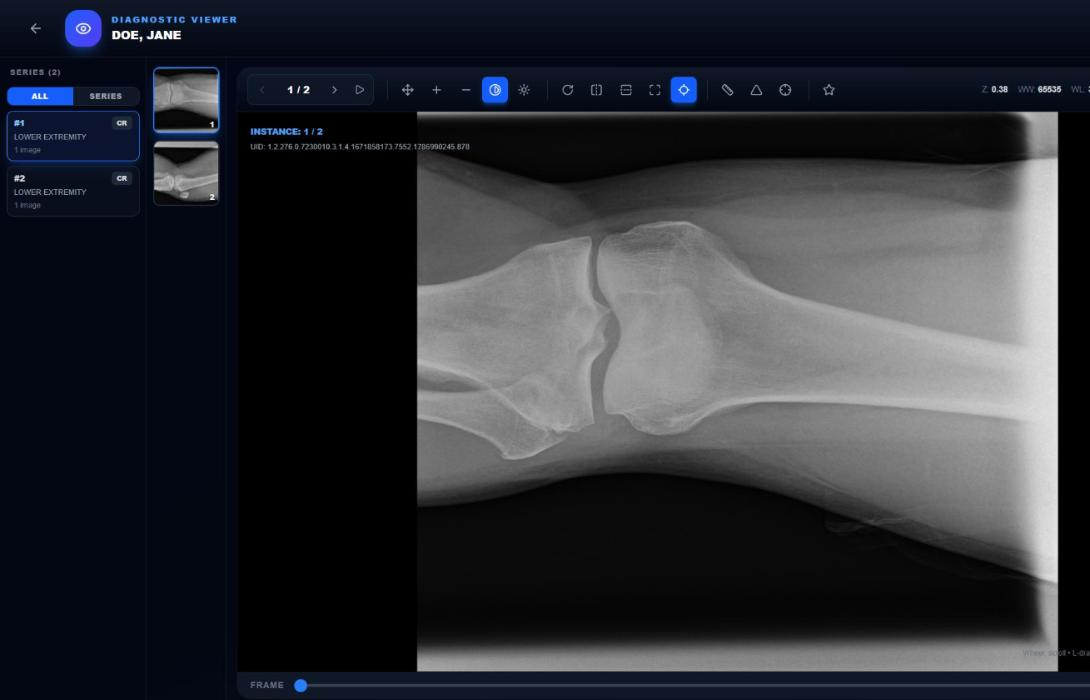
Runs at localhost:3000. Any browser on your LAN can open studies. No plugin, no per-station install.

DICOM in, DICOM out

A standard C-STORE listener on port 104 takes anything your modalities send: CR, DX, CT, MR, US, MG, NM. Send studies back out to another PACS or reading service by hand or on a rule, and export to a folder as DICOM.

You own the compliance boundary

On an on-premise licence, studies stay on your server and we never receive them. The only thing that leaves is a licence check. Turn on Cloud Backup and your encrypted copies go to storage scoped to your installation, which is your choice to make, not a default. Cloud plans work the other way round, by design: we hold the images so you do not have to run the server.

Storage is your storage

Studies live in a folder on your NAS or drive. No cloud lock-in, no exit fees. Back it up like anything else.

Worklist & priors

Search by patient, date, referrer or accession, and filter unread work in one click. A patient's earlier studies are linked automatically by patient ID, falling back to name and date of birth when the ID has changed. Nothing leaves the building, so it's as fast as your own network.

Cloud only if you want it

Off-site backup is an add-on you buy separately and switch on when you want it. Everything else runs on your own hardware. Reading from outside the practice works through your own HTTPS or a tunnel, so remote access costs you nothing extra.

Studies that route themselves

Write a rule once and every matching study goes where it belongs: all CTs to a reading service, one referrer's work to their workstation, overnight batches held until 11pm. Rules match on modality, description, referrer, accession and more, and every transfer is listed with its result.

Several practices, one server

Give each practice its own modalities and staff, and everyone sees only their own patients. The rule is applied everywhere a user can reach study data, including search, downloads and forwarding. Administrators see the whole archive.

An audit trail you can hand over

Every sign-in, view, download, forward and deletion is recorded with who and when. Filter it by person, action or date and export the result to CSV when somebody asks for evidence.

See it running

The real portal, not a mockup.

This is the actual product, not a mockup. What you install is what you see here.
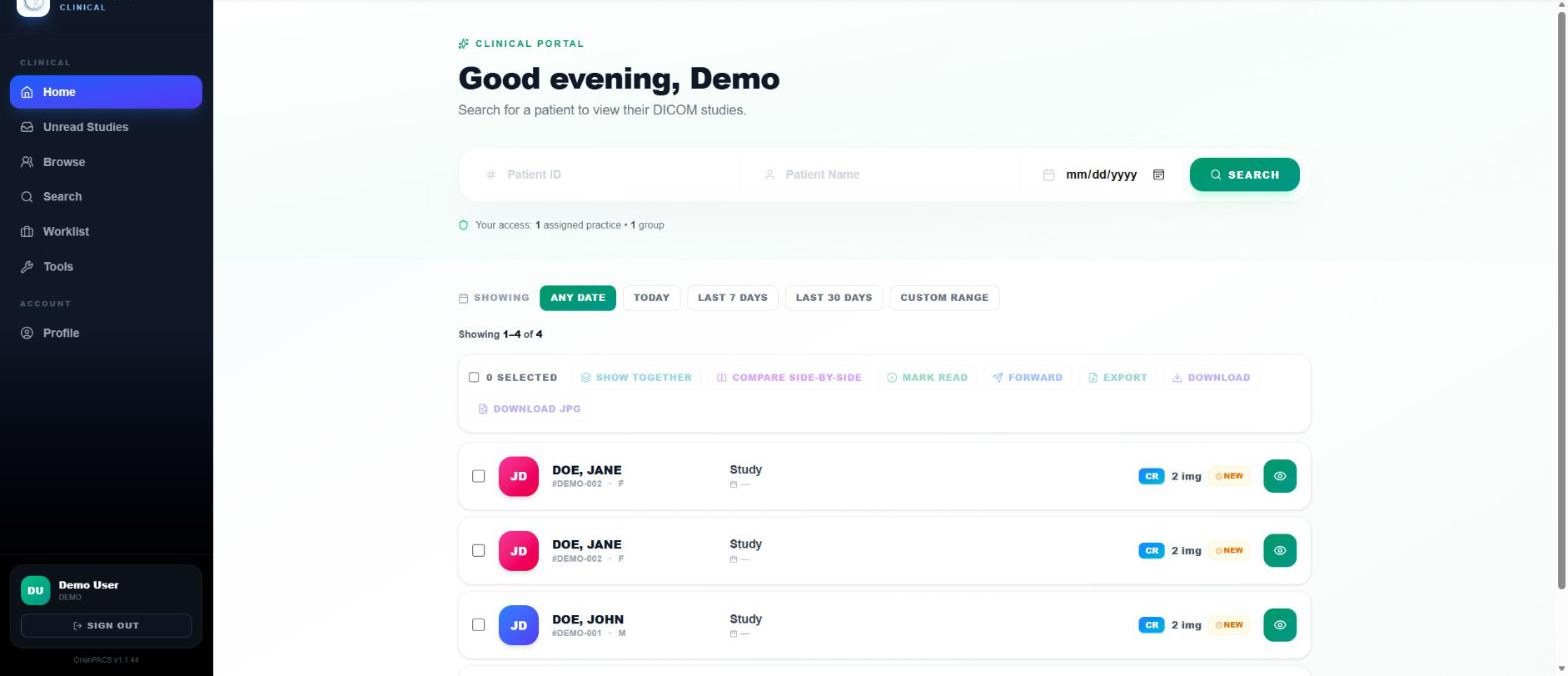
localhost:3000/tools
Orion PACS Tools page listing maintenance and data-movement utilities beside archive statistics

Tools: backups, integrity checks, imports and exports, all in the browser.

Want to see the viewer and the study browser? Open the live demo and drive them yourself.

Setup

Installed in one lunch break.

You'll be sending your first study by 2pm.

Step 01

Download & buy

Download the Windows installer free, and pick a licence tier. Your activation key arrives by email the moment you purchase.

Step 02

Install & configure

Guided installer sets up the DICOM listener, web viewer and hourly backups, then restarts. Open the portal and paste your activation key on the sign-in screen.

Step 03

Point modality & go

Enter the AE Title, host, and port on your modality. Send a test study. Open the browser. Done.

Intended use

Built for three specific jobs.

Orion is a Medical Image Management and Processing System (MIMPS), the FDA classification for storage, routing, and non-diagnostic display of DICOM. It's designed to do these three things exceptionally well; it isn't sold as a primary diagnostic reading platform.

01 · Archival

Long-term local storage of every DICOM study your practice acquires. Fast search, priors linking, retention policies, optional encrypted off-site backup.

02 · Routing

Receive studies from any DICOM modality, route them to your archive, EHR, teleradiology group, or another PACS. Rules-based auto-forwarding + on-demand send.

03 · Referring-physician review

Zero-install web viewer for referring providers to review studies you send them. Pan, zoom, window/level, and measurement tools. Clinical review, not primary interpretation.

Download

Get Orion PACS

Install it today and start a free 14-day trial right on the sign-in screen: just an email, no card. When you buy, the same install activates instantly, with no reinstall and no data migration.

  • Windows 11 Pro/Enterprise, or Server 2016 / 2019 / 2022 / 2025 (64-bit)
  • Everything bundled: no separate database or DICOM server to download
  • Needs internet once, to activate
Download for Windows

Windows installer · about 400 MB · free to download · free trial, no card

After installing: the installer restarts the machine, then open http://localhost:3000. On the sign-in screen, either paste a purchased activation key, or choose Start a free trial and enter your email. The trial activates immediately: no card, no waiting on an email.

Windows will warn that the publisher is unverified. Choose More info → Run anyway.

Two ways to run Orion

Host it yourself, or let us host it.

Same PACS either way. The difference is who holds the images and who keeps the server running.

On-premise — you host

Runs on a machine in your practice. Your images never leave your network, and we never receive them. Buy the licence once and own it.

See licence pricing →
Cloud — we host

We run the server, apply updates, and keep backups. Your images are stored on our infrastructure, reachable from any location you approve. Billed monthly by storage.

Pricing below

Tiers are by storage. Measure what you actually have before you choose — it is usually about half what the folder says.

Starter
$200/mo
up to 500 GB

A single provider starting out.

Growth
$300/mo
up to 1 TB

A solo practice with a few years of history.

Business
$400/mo
up to 1.5 TB

A small clinic with more than one room.

Professional
$500/mo
up to 2 TB

A medium clinic reading daily.

Enterprise
$600/mo
up to 2.5 TB

A large clinic or a small health network.

Enterprise+
$700/mo
up to 3 TB

A multi-site network.

Outgrown your tier? Move up at any time and the new capacity applies immediately. Larger than 3 TB: talk to us.

Free · no sign-up

Not sure which tier? Don't guess — measure.

Run our survey tool on the PC that holds your images. In a few minutes it tells you how many studies you have, how many gigabytes will actually move, how fast you are growing, and which plan that adds up to.

The number in Windows is not the number that matters. LG workstations store a raw file and two preview images beside every exam. On the last archive we measured, a folder showing 161 GB held 80 GB of images — the rest never leaves the clinic. Sizing from the folder would have put that practice on double the capacity it needed.

Download the survey tool Windows · about 40 KB · nothing to install
What it does to your machine
  • Reads only. Nothing in your archive is changed, moved or deleted.
  • Stays offline. It opens no network connection. The report is a file on your desktop.
  • No patient data. Counts and sizes only — no names, record numbers or file names can appear in it.
  • Nothing installed. Unzip, double-click, delete when you are done.

The tool is a plain-text script. Your IT can read every line of it before you run it.

Several workstations? Run it on each and send us the reports — the totals add up. The report also tells you which migration package below fits, and whether your older exams still carry their left/right markers.

One-time
Bringing your existing images across
Up to 500 GB
Up to 2 TB

We move your archive off your old system and index it, so your history is searchable from day one.

Not sure which size? Measure it first — the survey report names the package that fits.

Included in every cloud plan
A private link from your practice
Point-to-point VPN, per location$140/mo

Your scanners send studies to us over a private tunnel rather than the open internet. This is set up with every cloud account, not sold as an upgrade, because patient images should never cross the internet unprotected.

What happens after you subscribe. Your account is not created instantly. We contact you within one business day to set it up, confirm the locations that may reach it, arrange the private link from your practice, and schedule your migration if you have existing images. Most practices are reading studies within a few days. Prefer to talk first? Get in touch.
On-premise licence pricing

Own it, or spread it out.

Buy the license once and it's yours forever, or pay month-to-month to bundle software use, updates, and support in a single recurring bill. Same features either way, same intended-use scope.

Orion Desktop

Single-provider practice getting off film or CD.

  • 1 workstation install
  • DICOM C-STORE + web viewer
  • Unlimited studies & storage (uses your disk)
  • Free updates while subscription is active
  • Email support (24 hr SLA)
Most popular
Orion Studio

Multi-provider clinics with HL7 requirements.

  • Server + up to 5 viewing workstations
  • HL7 ORM/ORU integration
  • Multi-user roles + audit log
  • Referring-physician view portal (LAN only)
  • Priority chat support (4 hr SLA)
Orion Enterprise

Multi-site imaging groups needing SSO and API.

  • Unlimited workstations
  • DICOMweb + REST API
  • Single sign-on (SAML / OIDC / AD)
  • Named support engineer (1 hr SLA)
  • On-site install available

All prices in USD. 30-day money-back guarantee. Cancel anytime from your Stripe billing portal. Software deactivates when subscription ends. Volume & academic discounts: talk to us.

Optional cloud modules

Add cloud powers, only when you need them.

Every module below is opt-in. Turn one on to enable that cloud service. Turn it off and you're back to fully on-prem.

☁️
Cloud Backup
Pick a capacity

Off-site copy of your database and images on Backblaze B2, every hour. Restore a specific day straight from the Orion console.

250 GB
small practice
/mo
1 TB
most clinics
/mo
5 TB
multi-site
/mo
🌐
Remote Viewing Gateway
$79/mo

Read from home over encrypted tunnel. Zero-config VPN alternative. Studies stay on your PACS.

📡
Teleradiology Bridge
$99/mo

Route selected studies to a remote radiologist group. Auto-return of reports via HL7.

"The whole practice runs on a $600 mini PC in the closet. Orion cost us less than a year of our old cloud PACS bill, and my compliance officer stopped losing sleep."

Dr. Elena Ruiz · Coastal Imaging Co., Monterey CA
FAQ

Questions we hear a lot.

Try the viewer. Own the software.

Open the demo now. Buy a license when you're ready.